
Why do I have so many different logins?
Login with confidence
Just like you wouldn’t use your “Dave & Buster’s” Membership card to try to gain access to “Sam’s Club”, your ITICLASSROOM membership will not grant you access to the ITIMAIN domain. This overview will help you to understand which credentials you should be using to access each location. (See Below)
Getting to know your credentials
Every employee of ITI is given access to specific accounts and resources depending upon the details of their job requirements. Understanding these various logins will greatly increase ease and efficiency.
* You may click any of the images below to view on a larger scale
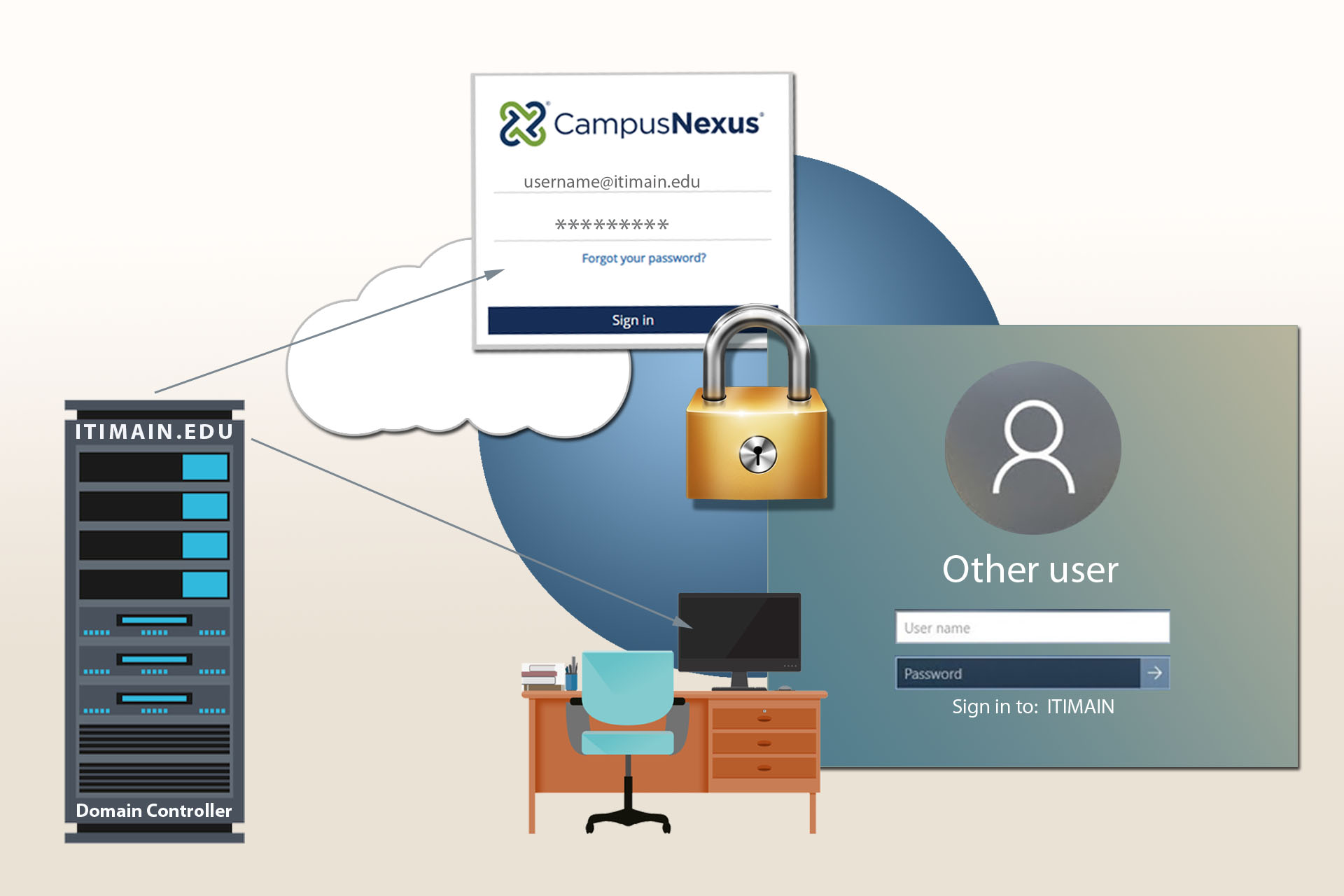
@ITIMAIN.EDU
ITIMAIN.EDU controls computers that are located in offices
When logging into any office machine , you might notice that below the username and password boxes it reads: “Sign in to: ITIMAIN.EDU” . This is because that machine automatically reaches out to the ITIMAIN.EDU domain controller as pictured above.
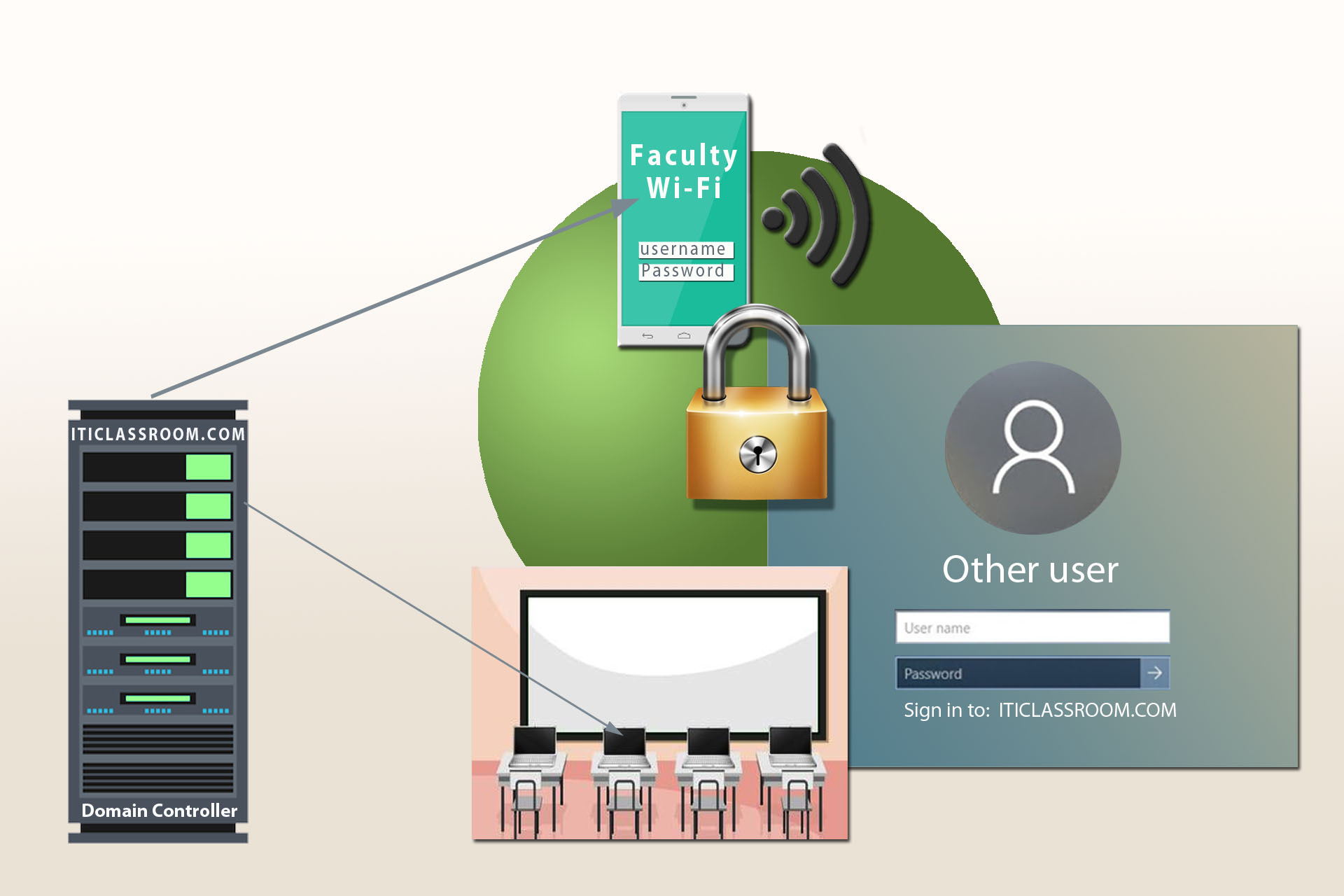
@ITICLASSROOM.COM
ITICLASSROOM.COM Controls computers that are located in classrooms and in the library
When logging into any classroom machine, you might notice that below the username and password box it reads: “Sign in to: ITICLASSROOM.COM”. This is because that machine automatically reaches out to the ITICLASSROOM.COM domain controller as pictured above.
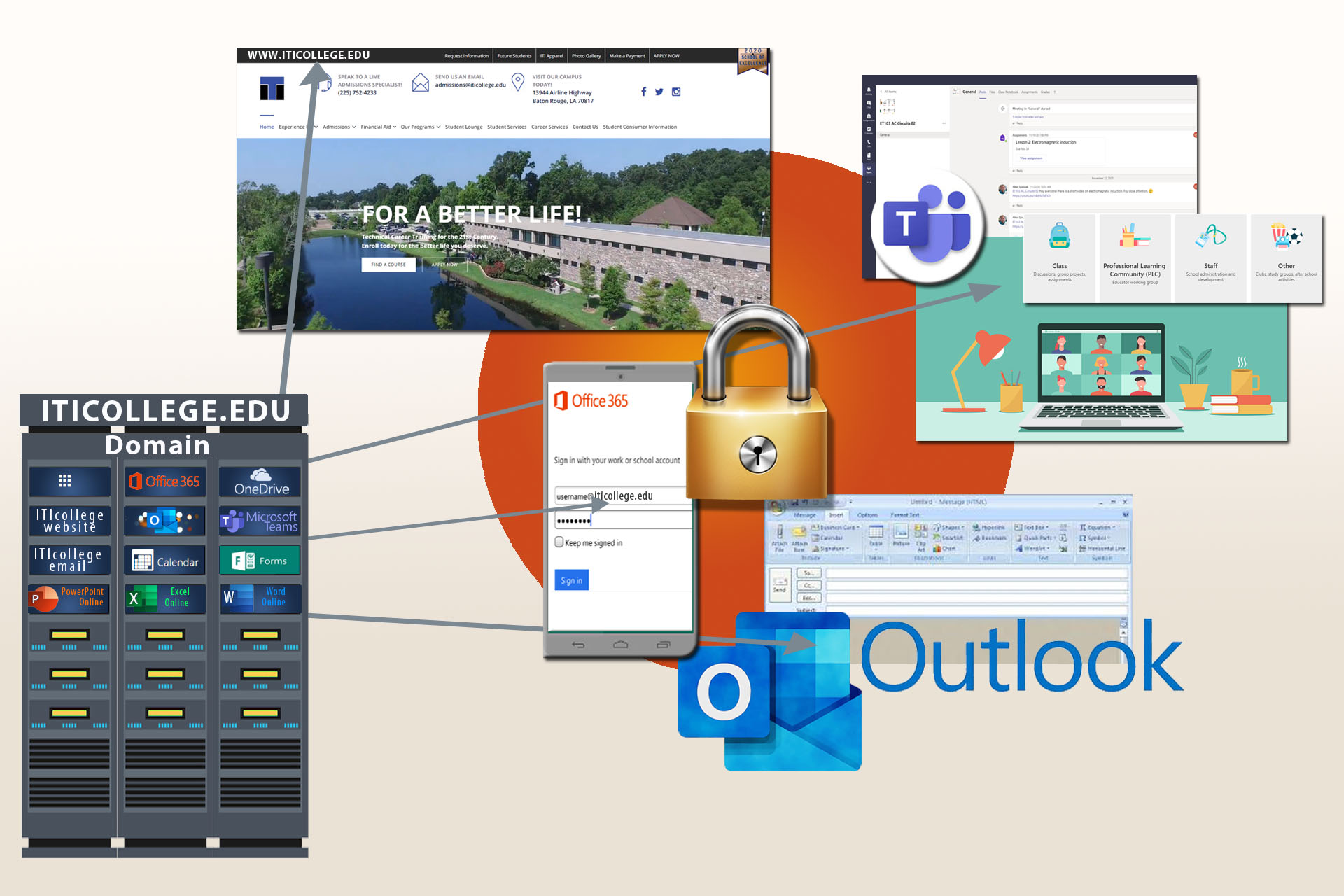
@ITICOLLEGE.EDU
Your ITICOLLEGE.EDU Login Controls your access to all Office 365 Software. It is also the gateway to Faculty Portal and Moodle.
You will use your ‘iticollege.edu’ sign in for access to your Staff Email as well as any office 365 web apps such as Forms or Teams.
Remember: if you have trouble logging into Moodle or your faculty portal, they are directly tied to your Office 365 Email Login